Best Practices • 6 min read • Updated September 2, 2026
Who You Might Know Is on Instagram: How the Suggestion Really Works

Almost every regular user has run into that familiar little nudge — a name pops up along with a note that says someone who you might know is on Instagram, followed by a gentle prompt to follow them. For some people it feels spot-on. For others, it feels a little too accurate for comfort. Either way, the notification isn’t random. It comes from a purpose-built recommendation system that Meta, Instagram’s parent company, has actually documented in its own public transparency materials.
This piece breaks down what’s really happening behind that message, using only what Meta has confirmed about the system, so anyone curious about who you might know is on Instagram can understand the mechanics without relying on guesswork.
What Triggers the “Who You Might Know” Notification
The suggestion is powered by an AI-driven ranking system that sits behind Instagram’s “Suggested Accounts” feature. According to Meta’s own transparency documentation, this isn’t one single formula — it’s a set of machine learning models working together, and the signals they rely on change over time as the system keeps learning from how people behave on the app.
When Instagram shows this kind of prompt, it means the system has compared a user’s existing network and activity against millions of other accounts and found a likely match. That match can surface in a few different places, not just as a one-off alert — including the “Suggested for You” and “Discover People” sections of the Following tab, as well as inside Explore.
How Instagram Determines a Likely Connection
So how does the system actually land on a specific name? Per Meta’s published explanation, the process starts by building a pool of candidate accounts for each user. That pool typically draws from:
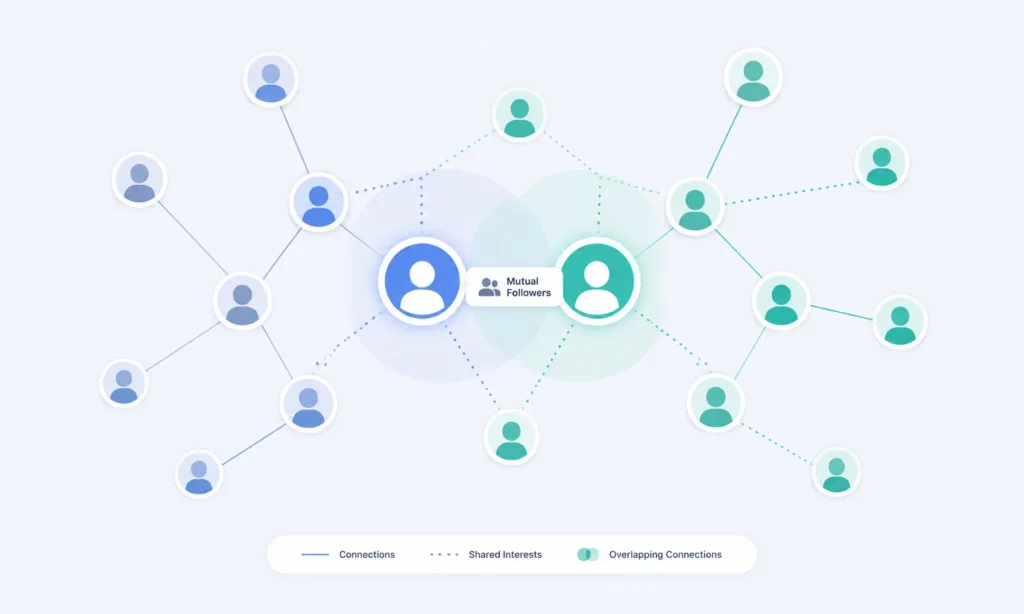
- Followers of accounts already followed — if a person follows several accounts, other users who also follow those same accounts become likely candidates.
- Popular accounts in a user’s region — geography plays a role in shaping who gets recommended.
- Accounts tied to shared topics or interests — based on the kind of content someone engages with, such as likes, comments, and direct messages.
- Contact list syncing — if contact syncing is turned on, the system can match phone numbers or emails against other Instagram accounts.
- A linked Facebook account — since Meta owns both platforms, a connected Facebook account can feed additional relationship data into the system.
Music and audio-driven content also feed into this signal — someone who regularly engages with trending Reels sounds may find it useful to save that audio separately via a site like InstaSongDownload, since this kind of content engagement is exactly the sort of interest-based signal the recommendation system tracks.
Put together, this is how the system decides whether a specific account is worth surfacing as a suggestion, rather than picking names at will.
The Role Your Profile and Activity Play
Every recommendation is tied back to an Instagram profile’s history on the app — not just one action, but a pattern built over time. Following a new account, for instance, often triggers a fresh batch of related suggestions, since the system treats that follow as a signal about what kind of profile might come up next.
It’s also worth noting what the system is built to avoid. Meta states that it uses these same signals to avoid recommending accounts a user has already unfollowed, so a rejected suggestion isn’t simply recycled a week later without explanation. Each profile essentially builds its own recommendation history the longer an account stays active, and that history helps decide which profile the system will show next.
Understanding the Recommendation Instagram Makes
This kind of match isn’t a snapshot taken once — it updates continuously. Two people with an identical set of mutual followers might still see different suggestions, because the underlying models also weigh recent activity, not just historical overlap. That’s part of why one person’s suggestions can look wildly different from a close friend’s, even though their networks appear similar on the surface.

This also explains why the notification about someone who you might know is on Instagram can appear seemingly out of nowhere. It usually means a new signal — a mutual follow, a synced contact, or a shared interest category — just crossed a threshold the system uses to decide a suggestion is worth showing.
What Happens When Someone Opens Instagram
The moment someone chooses to open Instagram, the recommendation engine has already done most of its work in the background. Suggestions don’t get calculated from scratch on the spot; they’re refreshed periodically based on the signals above, then displayed the next time the app loads. That’s why suggestions can feel “ready” instantly rather than lagging behind recent activity.
Some users also notice suggestions changing after a single active session — liking a handful of posts from a new topic, for example, or exchanging a few direct messages with someone they haven’t followed yet. This lines up with Meta’s own description of the system as one that continuously factors in engagement, not just static network data.
How Instagram Lets Users Manage These Suggestions
The platform lets people push back on the recommendation system in several documented ways, rather than leaving them stuck with suggestions they don’t want:
- Unlink a connected Facebook account — doing this stops Facebook data from being used to generate Instagram recommendations.
- Disconnect contact syncing — found in account settings, this stops phone contacts from being cross-referenced against other users.
- Unfollow accounts — this signals the system to stop recommending similar profiles going forward.
- Shuffle suggestions or tap “See all” — this refreshes the current batch or expands it with more options.
- Use “Discover more accounts” — this pulls up recommendations that are not personalized, for anyone who wants a neutral list instead.
- Turn off suggestion notifications — this stops alerts about suggested accounts without switching off the feature entirely.
- Restrict, mute, or block — these tools also help keep specific accounts out of future recommendations.
None of these options claim to erase a profile from every recommendation instantly, since some signals — like another person’s saved contact details — sit outside a single user’s control. But together, they give a fairly complete way to shape what shows up going forward.
The Bigger Picture
Curiosity about who you might know is on Instagram usually comes down to one simple question: is the app reading too much into things, or just doing what it says it does? Based on Meta’s own published explanation, the honest answer sits somewhere in the middle — the system is genuinely built around real signals like mutual followers, synced contacts, shared interests, and linked accounts, but it’s also designed to keep working continuously in the background, which is exactly why a suggestion can feel unexpected even when it isn’t random.
For anyone who wants a quieter experience, the built-in controls above are the most reliable starting point, since they come directly from the platform rather than a third-party workaround. And for everyone else, understanding who you might know is on Instagram and why it appears at all makes the whole feature feel a little less mysterious — and a lot less creepy.
Sources
- Meta Transparency Center — Instagram Suggested Accounts AI System